Archon is a platform and framework focused on building autonomous AI agents and workflow automation systems.
The software enables users to connect large language models with external tools, APIs, memory systems, databases, and task pipelines to create agents capable of performing structured actions and long running workflows.
Archon is commonly discussed alongside modern agent frameworks and AI automation ecosystems used for productivity, coding, research, and business process automation.
Archon is an emerging AI automation platform designed to help developers and technical users build, orchestrate, and manage autonomous AI agents. Archon has gained attention for combining workflow orchestration, memory systems, tool integrations, and multi agent coordination into a flexible open source style ecosystem.
The platform positions itself as a framework for creating AI agents capable of handling complex tasks beyond simple chatbot interactions.
Key Features of Archon
AI Agent Orchestration
Archon allows users to coordinate multiple AI agents that can collaborate on tasks, delegate subtasks, and execute workflows.
Tool and API Integration
The platform supports integration with external APIs, databases, browsers, scripts, and third party services to extend AI functionality beyond text generation.
Persistent Memory Systems
Agents can maintain context and memory across sessions, enabling more consistent long term workflows.
Workflow Automation
Users can build automation pipelines that combine AI reasoning with structured execution logic.
Modular Architecture
Archon is designed with modularity in mind, making it easier for developers to customize agent behavior and infrastructure.
Developer Focused Ecosystem
The platform heavily targets technical users and developers rather than casual consumers.
Download Archon CLI v0.14.0 - Software Mirrors |
|---|
Download Archon CLI v0.14.0 for Windows
archon-windows-x64.exe | 86.33 MB Download Archon CLI v0.14.0 for Windows
archon-server-windows-x64.exe | 87.76 MB Download Archon CLI v0.14.0 for Linux
archon-server-linux-x64 | 83.21 MB Download Archon CLI v0.14.0 for Linux
archon-server-linux-arm64 | 83.17 MB Download Archon CLI v0.14.0 for macOS
archon-server-darwin-x64 | 71.78 MB Download Archon CLI v0.14.0 for macOS
archon-server-darwin-arm64 | 65.04 MB Download Archon CLI v0.14.0 for Windows
archon-provider-pi-windows-x64.exe | 89.5 MB Download Archon CLI v0.14.0 for Linux
archon-provider-pi-linux-x64 | 84.95 MB Download Archon CLI v0.14.0 for Linux
archon-provider-pi-linux-arm64 | 84.92 MB Download Archon CLI v0.14.0 for macOS
archon-provider-pi-darwin-x64 | 73.51 MB Download Archon CLI v0.14.0 for macOS
archon-provider-pi-darwin-arm64 | 66.79 MB Download Archon CLI v0.14.0 for Windows
archon-provider-codex-windows-x64.exe | 82.35 MB Download Archon CLI v0.14.0 for Linux
archon-provider-codex-linux-x64 | 77.8 MB Download Archon CLI v0.14.0 for Linux
archon-provider-codex-linux-arm64 | 77.8 MB Download Archon CLI v0.14.0 for macOS
archon-provider-codex-darwin-x64 | 66.37 MB Download Archon CLI v0.14.0 for macOS
archon-provider-codex-darwin-arm64 | 59.6 MB Download Archon CLI v0.14.0 for Windows
archon-provider-claude-windows-x64.exe | 83.39 MB Download Archon CLI v0.14.0 for Linux
archon-provider-claude-linux-x64 | 78.84 MB Download Archon CLI v0.14.0 for Linux
archon-provider-claude-linux-arm64 | 78.8 MB Download Archon CLI v0.14.0 for macOS
archon-provider-claude-darwin-x64 | 67.4 MB Download Archon CLI v0.14.0 for macOS
archon-provider-claude-darwin-arm64 | 60.64 MB Download Archon CLI v0.14.0 for Linux
archon-linux-x64 | 81.77 MB Download Archon CLI v0.14.0 for Linux
archon-linux-arm64 | 81.74 MB Download Archon CLI v0.14.0 for Windows
archon-forge-github-windows-x64.exe | 82.95 MB Download Archon CLI v0.14.0 for Linux
archon-forge-github-linux-x64 | 78.4 MB Download Archon CLI v0.14.0 for Linux
archon-forge-github-linux-arm64 | 78.36 MB Download Archon CLI v0.14.0 for macOS
archon-forge-github-darwin-x64 | 66.97 MB Download Archon CLI v0.14.0 for macOS
archon-forge-github-darwin-arm64 | 60.19 MB Download Archon CLI v0.14.0 for macOS
archon-darwin-x64 | 70.34 MB Download Archon CLI v0.14.0 for macOS
archon-darwin-arm64 | 63.6 MB Download Archon CLI v0.14.0 for Windows
archon-chat-slack-windows-x64.exe | 84.26 MB Download Archon CLI v0.14.0 for Linux
archon-chat-slack-linux-x64 | 79.7 MB Download Archon CLI v0.14.0 for Linux
archon-chat-slack-linux-arm64 | 79.67 MB Download Archon CLI v0.14.0 for macOS
archon-chat-slack-darwin-x64 | 68.28 MB Download Archon CLI v0.14.0 for macOS
archon-chat-slack-darwin-arm64 | 61.52 MB |
Archon CLI v0.14.0 Release Notes:
The SDLC pack reaches GitHub only through the forge plugin, packs can declare settings, and archon metrics measures the factory.
Breaking
- The bundled SDLC pack reaches the forge only through
archon forge and an installed forge plugin; the pack's gh path is gone and nothing falls back to gh. Install the plugin with archon plugin add coleam00/Archon/plugins/forge-github. Delivery and the merge queue need plugin v0.13.0 or later, and their forge checks refuse a plugin missing an operation they need; the metrics workflows and the build queue's lookup of a dead round's pull request need this release's plugin, for pr.view timestamps, pr.view of a head in any state, pr.files and repo.file. Your existing gh auth login, GH_TOKEN or GITHUB_TOKEN is still the credential, and a leftover ARCHON_SDLC_FORGE is ignored. A pack run in a container refuses at its forge check, since a container has no host command. The merge queue's own-PR enrollment notes that the forge cannot list a maintainer's pull requests and continues with the queue's other work. A red default branch is now always raised to a maintainer instead of rerun, because the forge reruns checks only on a pull request. (#5222, #5365)
Added
- A pack can declare settings once in
<pack>/.pack/pack.yaml, and a project sets them in .archon/packs/.yaml. Every workflow of the pack reads them as inputs; an unknown key or a wrong-typed value refuses the run, naming the file and the key. (#5342)
archon project config and GET /api/codebases/{id}/config show a project's merged config with secrets and env values removed. (#5334)
archon metrics and /api/metrics aggregate metrics that nodes return across runs, compare runs before and after a change with intervals and cost, compare the models that ran one step, report factory PR counts and merge rate attributed to the runs that built each PR, and count factory tests that protect no behavior, with the judge's agreement against hand labels. The test-value judge judges each test on its own merits and also reads tests defined outside test files. (#5314, #5319, #5323, #5324, #5329, #5346)
- The console metrics page shows trends, judge calibration, and the overview cards a pack declares, with a Details screen. (#5339, #5354)
- A run can hold a lease on a state document (
archon state put|patch --lease, --release-lease). Reads report whether the lease is live from the holder run's status, and the engine never ends a lease on age. The SDLC pack's claims use it. (#5366)
- Attention waits carry a recommendation, what each option does, and a value returned with the answer. (#5367)
- The attention queue streams over SSE for HTTP clients. (#5387)
- A run started by a trigger binding is recorded as the start's requester. (#5368)
- A node can read which nodes in its run failed, were skipped or completed. (#5361)
- A node can read its own pack's directory as
$PACK_DIR. (#5363)
- A loop that runs out of iterations can complete with its last output instead of failing the run. (#5362)
- The forge contract can read pull request timestamps, a pull request's files, and a file at a commit. (#5379)
- SDLC pack: the build queue can build only the work items an operator put in a work order (
orders_only). (#5390)
- SDLC pack: a large item is split into issues only when it can't be built as one; a PRD splits into phases that each prove an outcome. (#5322)
- SDLC pack: review's code lens uses a user-facing change in a browser, and a new ux lens judges a UI change as its operator would. (#5389, #5392)
Changed
- Built-in Codex defaults use the GPT-6.1 models. (#5378)
- SDLC pack: queue follow-up runs start through the operator's trigger bindings, so binding capacity and deduplication apply to them. (#5369)
- SDLC pack: the build queue stops relaunching a pull request that changed nothing since its last review. (#5303)
- SDLC pack: transient GitHub read failures are retried, a dated scope ruling can settle a review thread, and the merge sweep decides a pull request with no Ready verdict at its head before reading any diff. (#5393)
- SDLC pack: prompts point at the policy documents instead of restating them, and the pack keeps only the tests that guard a write or a gate. (#5364, #5382, #5385)
- Metrics reports return in seconds and no longer block the server. (#5384)
- Container image cleanup goes through the selected isolation backend, and Docker verification images are removed when runs finish. (#5311, #5338)
- Worktree reuse on the wrong branch is refused. (#5292)
- A Codex output schema that Codex cannot honor is refused before the agent runs. (#5291)
- Partial workflow run reads reject unsupported statuses. (#5294)
- Windows taskkill failures and Codex shutdown phases report diagnostics. (#5288, #5302)
Fixed
- HTTP workflow launches resolve continuation targets the same way the CLI does, and reject unknown, ambiguous or still-running targets with a 400 before any work starts. (#5305)
- Fan-out results are consistent across workflow types. (#5386)
- Host workflow results survive a Docker image inventory failure. (#5333)
- Multiline inline Bun scripts survive a Windows cmd shim. (#5308)
- Plain loops survive an unreadable parent status. (#5284)
- SSE heartbeat loops end after the client disconnects. (#5295)
- Reconnects survive an OAuth refresh. (#5297)
- The attention queue reports paused runs it cannot read,
/status says when it cannot read the worktree inventory, and draft run launch refusals are shown in full. (#5280, #5296, #5298)
- macOS cleans up exited plugin process groups. (#5310)
- OpenCode retries server startup only on a structured port conflict. (#5304)
- SDLC pack: a cancelled build round's pull request is recorded when its claim is released, and the build queue's answer no longer stalls on Codex when it has no ask class to declare. (#5313, #5326)
Installation
Quick Install (Recommended)
macOS / Linux
bash
curl -fsSL https://archon.diy/install | bash
Windows (PowerShell)
powershell
irm https://archon.diy/install.ps1 | iex
Homebrew (macOS / Linux)
bash
brew install coleam00/archon/archon
Docker
bash
docker run --rm -v "$PWD:/workspace" ghcr.io/coleam00/archon:latest workflow list
Manual Installation
macOS (Apple Silicon)
bash
curl -fsSL https://github.com/coleam00/Archon/releases/latest/download/archon-darwin-arm64 -o /usr/local/bin/archon
chmod +x /usr/local/bin/archon
macOS (Intel)
bash
curl -fsSL https://github.com/coleam00/Archon/releases/latest/download/archon-darwin-x64 -o /usr/local/bin/archon
chmod +x /usr/local/bin/archon
Linux (x64)
bash
curl -fsSL https://github.com/coleam00/Archon/releases/latest/download/archon-linux-x64 -o /usr/local/bin/archon
chmod +x /usr/local/bin/archon
Linux (ARM64)
bash
curl -fsSL https://github.com/coleam00/Archon/releases/latest/download/archon-linux-arm64 -o /usr/local/bin/archon
chmod +x /usr/local/bin/archon
Windows (Manual)
Download archon-windows-x64.exe from the assets below, rename to archon.exe, and add to your PATH.
Release assets
archon-server--[.exe]: Version-matched server executable fetched by archon serve
archon-forge-github--[.exe]: GitHub forge plugin
archon-chat-slack--[.exe]: Slack chat plugin
archon-provider-claude--[.exe]: Claude provider plugin, installed by archon provider add claude
archon-provider-codex--[.exe]: Codex provider plugin, installed by archon provider add codex
archon-provider-pi--[.exe]: Pi provider plugin, installed by archon provider add pi
archon-web.tar.gz: Web UI
checksums.txt: SHA-256 checksums for every asset
Verify installation
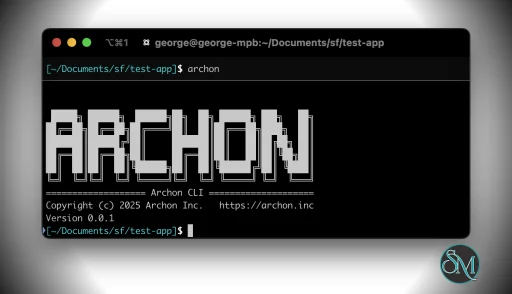
bash
archon version
|
User Experience
Archon is clearly built for users comfortable with modern AI infrastructure concepts.
The workflow often involves configuring models, tools, prompts, memory systems, and execution logic. Developers familiar with Docker, APIs, Python, or AI frameworks will adapt far more easily than beginners.
The interface and deployment experience vary depending on the specific Archon distribution or deployment environment being used.
For technical users, the flexibility is impressive. For non technical users, setup complexity can become a major barrier.
Performance and Reliability
Performance depends heavily on the underlying language models, APIs, infrastructure, and hardware configuration.
When properly configured, Archon can orchestrate sophisticated AI workflows efficiently. However, autonomous AI systems remain inherently unpredictable, especially when multiple agents and external tools interact dynamically.
Users should expect occasional workflow failures, hallucinations, tool execution issues, or dependency conflicts, particularly in rapidly evolving AI ecosystems.
Open Source and Ecosystem Growth
One reason Archon has attracted attention is its alignment with the broader open AI agent movement.
Many users are searching for alternatives to fully closed enterprise AI automation platforms. Archon’s flexible architecture and developer oriented design fit well within self hosted and customizable AI infrastructure trends.
The ecosystem surrounding agent frameworks is also evolving extremely quickly, meaning Archon competes in a rapidly changing space filled with new orchestration systems and AI tooling projects.
Pros
Flexible AI agent orchestration system
Supports tool and API integrations
Strong automation potential
Modular and developer friendly architecture
Useful for advanced AI workflows
Aligns well with self hosted AI ecosystems
Cons
Steep learning curve for beginners
Requires technical setup knowledge
AI agents remain imperfect and unpredictable
Rapidly evolving ecosystem may introduce instability
Infrastructure complexity increases quickly at scale
Archon is best suited for developers, AI researchers, automation engineers, self hosted AI enthusiasts, and businesses experimenting with autonomous workflow systems.
Users looking for simple consumer AI experiences may find the platform unnecessarily technical.
Archon represents the growing shift toward autonomous AI workflow systems and agent orchestration platforms. Its modular design, integration flexibility, and automation capabilities make it highly appealing for technical users exploring advanced AI infrastructure. While the ecosystem remains fast moving and technically demanding, Archon already shows strong potential as a serious AI agent development platform.
Post a Comment/Report Broken Link: