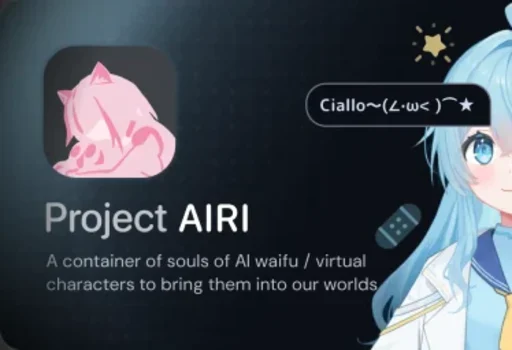
Project AIRI is an open source self hosted AI companion and AI VTuber framework developed by the Moeru AI community. The project is designed to build interactive virtual characters capable of real time voice conversations, gameplay interaction, animated avatar rendering, and long term memory systems.
The platform supports:
Live2D and VRM avatars
Real time speech interaction
Local or cloud LLM integration
Memory systems using databases like DuckDB and PGVector
Minecraft and Factorio interaction
Browser, desktop, and mobile deployment
Discord and multi platform integrations
Recent 2026 builds also expanded support for macOS, Linux, Windows, and mobile deployment while improving plugin architecture and AI interaction systems.
Project AIRI has quickly become one of the most talked about open source AI companion ecosystems in the AI VTuber and autonomous character community. Inspired heavily by projects like Neuro-sama, AIRI aims to create persistent virtual AI companions capable of voice interaction, gameplay participation, memory retention, and animated digital presence across multiple platforms.
Unlike standard chatbot applications, AIRI focuses on creating what its developers describe as “virtual cyber beings” rather than simple text assistants. The result is a much more experimental but also far more immersive AI experience.
Key Features of Project AIRI
Self Hosted AI Companion Architecture One of AIRI’s biggest strengths is ownership. Users can self host the platform locally rather than relying entirely on centralized subscription services.
AI VTuber and Virtual Avatar Support AIRI integrates Live2D and VRM character rendering with facial animation, blinking, tracking, and expressive interaction systems.
Real Time Voice Interaction The platform supports speech recognition and speech synthesis for natural voice based interaction with virtual characters.
Game Interaction Systems Project AIRI can interact with games such as Minecraft and Factorio using AI driven gameplay assistance and autonomous actions.
Persistent Memory Systems Unlike disposable chat sessions, AIRI aims to create persistent digital personalities capable of remembering long term interactions through local memory databases.
Plugin and Developer Ecosystem The project includes modular architecture and extensibility systems for developers building custom AI companion behaviors and integrations.
This is the first stable release of the 0.12 line. It collects everything since v0.11.3: new avatar formats, a rebuilt voice pipeline, tool calls you can actually read, desktop computer use, and a lot of reliability work. The desktop app is also much smaller now. The macOS download dropped from about 870 MB to about 530 MB.
[!IMPORTANT]
The update bug is fixed in v0.12.0, but your current version still runs the old updater.
>
- macOS and Linux: after "Download Update", you can see an error such as ditto: … No such file or directory, or "Restart" can > do nothing. Quit AIRI from the tray menu (or press Cmd+Q on macOS), wait about 10 seconds, then open it again. The update installs when the app quits. Closing the window is not enough. On Linux, a password prompt can appear.
- Windows: updates work as usual.
- If the version did not change after you reopen AIRI, download the installer from this page.
- 0.12.0 beta and nightly users: your update lane follows beta releases. Open Settings → About and set the update lane to Stable, or download the installer from this page.
- v0.9.0 and earlier: download the installer from this page.
New Contributors
@ricemaster1 made their first contribution in #2016
@reverieach made their first contribution in #2714
@jabarrioss made their first contribution in #2703
@starvingarc made their first contribution in #2797
@railway-app[bot] made their first contribution in #3005
@balabommablock-cpu made their first contribution in #3013
@zzoraemon043 made their first contribution in #3026
Product updates
AIRI now reads formulas aloud like a teacher 🧮
Ask AIRI about physics, chemistry, or money, and the reply now sounds right.
TeX formulas, chemical equations, units, and prices are read as natural words in Chinese, English, Japanese, and Korean. For example, a fraction is read as a fraction and a derivative is read as a derivative, not as a stream of backslashes and braces.
AIRI reads the formula the same way it shows it on screen, so what you hear matches what you see.
Markdown symbols such as , #, and list markers are no longer read aloud.
In our evaluation with the official voice, correctly spoken formulas went from 70% to 94%.
Characters and Stage
Desktop ver. now supports MMD models. You can import motions and adjust physics, gaze, lip sync, expressions, and materials.
Desktop ver. now supports Tachie archives that switch complete character images to match emotions.
You can now pick the MAGIC driver for Live2D to get Neuro-sama-like motion (aka the Neuro bump), with bundled idle and speaking profiles that keep lip sync and eye contact.[^magic]
Live2D controls now belong to each character, so every character keeps its own motion and expression settings. Live2D expressions also show up in settings.
VRM characters react when you click their heads, arms, hands, or feet. You can cap the VRM frame rate to save power, and VRM expressions blend without fighting each other.
Live2D imports now show a report before import that lists missing files and how to fix them. ZIP files from macOS, CJK paths, and older filename encodings all import correctly.
A comic-style presence bubble beside the character shows when it is thinking, so you can tell a slow reply from a stuck one.
If a model fails to render, the Stage shows a clear error and stays usable.
Voice
Wake words. Each character can have its own wake word, stored with its character card. Say it, and AIRI starts listening. An end-of-speech judge decides when you are done, so a short pause no longer cuts you off.
Push to Talk is available, and the voice input button now lives in the chat composer on desktop, web, and mobile.
Live transcripts. A redesigned voice inlay shows your words as you speak, and fades in rewrites as they arrive. A chat model can clean up the transcript before it is sent. Voice messages appear as a compact waveform bubble that shows up at once, even while the transcript is still coming.
Speaker recognition. You can enroll your voice so AIRI can tell who is speaking.
New speech recognition options: Sherpaw runs on-device across apps, and Apple Speech gives on-device transcription on macOS 26 or later with no API key.
New speech output options: VOICEVOX Engine, AivisSpeech Engine, and MiniMax Speech. You can also mute voice output or stop all current speech from the Controls Island.
Hearing settings are split into clear pages, and status capsules show at a glance whether AIRI is listening and whether you are signed in.
Voice activity detection now runs off the main thread, so the Stage stays smoother while the microphone is on. Audio meters also use less CPU.
Spoken replies keep emoji, accented letters, and spacing intact, and AIRI no longer reads a stray < or & as the start of a tag.
Chat
Tool calls are readable now. Each call shows a combo pill with an icon that the model picks, what the tool does, and why the model used it. Results can appear as widgets, for example a weather forecast card. Tool calls also stream to other windows as they happen.
Images. You can send images in chat on web and desktop. Models with vision see them directly, and other models get a description. Several images are analyzed at the same time.
Skills, long-term memory, and background tasks. Your character can follow reusable skills, remember facts across conversations, and run longer tasks in the background while you keep chatting. You can see and stop open tasks from the chat.
Emotion stickers. Characters can reply with stickers that match their mood. You can import your own stickers and tag them by emotion in Settings → Modules → Stickers. Stickers are off by default.
More reliable replies. If a provider has a short outage or rate limit, AIRI now retries by itself instead of failing the turn. You can stop a reply while it streams, and several chats can run at the same time.
Web search works with the official provider by default.
Each chat stays with its own character: replies, tools, and model settings follow the character of that chat, even when you switch characters in another window.
When you are signed in, the character knows your nickname.
You can swipe a message to reply to it, and swipe a conversation to delete it.
Messages show readable times, and long conversations stay responsive.
You can now set temperature and top_p yourself. They stay off unless you turn them on.
Desktop ver.
Computer use. The character can operate your desktop through AUV when you allow it.
Floating chat. A chat window can float beside the character. Try the danmaku style, which scrolls replies across the screen and can hide messages you already read.
Home Assistant. The character can control your smart home, but only the devices you choose.
Remote MCP servers over streamable HTTP now work alongside local ones.
Clicks pass through empty areas of the Stage, and the Controls Island hides while your cursor is away.
You can run AIRI from the tray only, without a Dock or taskbar icon.
macOS gets native glass chat backgrounds, and every app gets a system theme option.
New splash and loading screens make startup feel calmer.
If the main window ends up off-screen, for example after you unplug a monitor, AIRI brings it back.
The Experimental Features page lets you try character card cloud sync, model cloud sync, and a fullscreen workspace. All of them are off by default.
AIRI can relay conversations to a connected Minecraft bot and read its supported speech aloud.
AIRI starts on Linux ARM64, and behaves better on Wayland.
Mobile ver.
The mobile layout was reworked: a simpler Stage control bar, a view adjustment mode, a character volume control, and a settings drawer.
You can long-press the message input and drag it up to dock it as a compact bubble.
The software keyboard no longer hides, shifts, or closes the chat input unexpectedly on iOS and Android.
Sign-in opens in the system browser on iOS and Android, then returns you to AIRI.
Mobile ver. has a permission panel, clearer onboarding, and Android microphone selection.
Character cards
The character card editor now opens full screen, so long descriptions and prompts have room to breathe.
The built-in character speaks the language you chose during onboarding.
Accounts, Cloud, and providers
AIRI Cloud now shows account notifications. Flux pricing is public, the subscription store shows your quota and refill details, and TTS usage in your billing history is grouped by chat round.
You can sign in with Steam or Apple.
Account deletion now asks for a recent sign-in and revokes linked social accounts.
New providers: the browser Prompt API, API Route, and Apple Vision.
You can use the OpenAI Responses API with your own API key.
Tool use works with more providers, including OpenAI strict mode. Thinking can be turned on from one model option for supported models.
DeepSeek applies its reasoning mode correctly, and Volcengine Coding Plan lists current models.
Provider setup recovers better, and validation status persists between launches. The web and mobile composers guide you to set up a chat provider when you have none.
Languages
AIRI now speaks Thai, and the missing strings in other languages are filled in.
Bug fixes
Updates. Clicking "Download Update" once could download and install twice, then fail with a ditto error on macOS. "Restart" could also do nothing. Both are fixed in this version, so your next update installs with one click.
Startup. A provider settings loop could leave AIRI loading forever. Chat now reliably creates or restores a session at startup.
Desktop local server. On macOS and Windows, v0.12.0-beta.3 and beta.4 could get stuck on "Loading..." because the local server failed to start. This is fixed.
Desktop windows. One action could run once per open window, for example opening a folder several times or restarting MCP twice. Each action now runs once.
Upgrades. The Stage model you picked in an older version could reset after an upgrade. Your choice now carries over to your character.
Data. Chats, character card drafts, and models stay intact during edits, and chat state stays consistent across windows.
Speech. Whisper and Kokoro no longer get stuck after an error or after you stop speech.
Live2D. Avatars stay smooth in long sessions, and lip sync keeps working during MAGIC motion.
Flatpak and Nix. These builds no longer offer in-app updates. Your package manager handles updates.
Many smaller fixes across mobile keyboards, scrolling, provider cards, and the Controls Island.
To developers
@proj-airi/better-ws is now published, so @proj-airi/server-sdk installs cleanly.
@proj-airi/server-runtime gives each port to one listener and no longer requests reusePort.
The plugin host can import extensions from folders, and it has combined lifecycle controls and an activation planner.
Provider definitions can load settings schemas, onboarding fields, validators, and runtime instances asynchronously.
The CCv3 codec accepts older and newer cards and keeps unknown fields.
Hosted chat WebSockets expose versioned Eventa contracts. Version 2 authenticates after connection and limits payload size.
The hosted API adds a stateless Responses gateway, optional S3 object storage, and Redis Streams account events.
To contributors
Use Node.js 26.7.0 and pnpm 11.24.0. The repository pins both in .tool-versions and packageManager.
Workspace tests run through Turbo, and Vitest browser projects run headlessly in CI.
The desktop app bundles its pure JS dependencies into the main bundle, and two builds of one commit now give the same output. pnpm -F @proj-airi/stage-tamagotchi check:reproducible-build checks it.
A new IO tracer collects spans from every window, from the wake word to playback.
Category labels and PR review handoff are automated, and the Android release workflow uses setup-android v4.
New internal gamepad packages support browser controllers and the PS5 DualSense.
[^magic]: ~~MAGIC stands for Markovian Animation Generator with Illusory Conditioning.~~
Full Changelog: v0.11.3...v0.12.0
User Experience
Project AIRI feels far more like an experimental AI ecosystem than a polished mainstream consumer app.
For technical users, this is actually part of the appeal. AIRI gives developers and enthusiasts substantial control over:
LLM providers
Character personalities
Voice systems
Rendering pipelines
Game integrations
Memory architecture
Local hosting infrastructure
The interface itself is visually impressive, especially when paired with VRM or Live2D avatars. Modern builds resemble a hybrid between VTuber software, AI agent frameworks, and desktop companion systems.
However, setup complexity remains one of the platform’s biggest barriers. Running AIRI properly often involves configuring models, APIs, GPU acceleration, memory systems, and external integrations. Beginners expecting a one click chatbot experience may feel overwhelmed.
Performance and Hardware Requirements
Performance depends heavily on how AIRI is configured.
Local LLM inference, voice synthesis, avatar rendering, and game interaction can become resource intensive quickly, especially when running fully self hosted workflows with GPU acceleration.
The project supports WebGPU, CUDA, and Apple Metal acceleration in supported environments. Users with powerful GPUs generally report significantly smoother real time interaction experiences.
Electron and web based architecture choices also mean memory usage can become relatively high compared to lightweight native applications.
Open Source Ecosystem and Community
One reason AIRI has gained so much momentum is its positioning within the rapidly growing AI companion and autonomous VTuber movement.
The project’s GitHub ecosystem has expanded rapidly throughout 2026 with repositories related to:
AI VTubers
AI gameplay systems
Live2D tooling
multimodal AI workflows
browser based inference
memory systems
AI gaming agents
Community interest is especially strong among:
AI hobbyists
VTuber communities
self hosted AI users
anime communities
experimental AI developers
autonomous agent researchers
The open source approach also differentiates AIRI from closed commercial AI companion platforms by allowing far greater customization and ownership.
Privacy and Ethical Considerations
AIRI strongly emphasizes self hosted deployment and user ownership, which is appealing for privacy conscious users.
However, AI companion systems naturally raise broader concerns regarding:
emotional dependency
parasocial relationships
moderation
AI generated behavior unpredictability
privacy of voice and memory data
As with most rapidly evolving AI ecosystems, long term social implications remain actively debated.
Pros
Extremely ambitious AI companion platform
Open source and self hosted
Excellent Live2D and VRM support
Real time voice interaction
Persistent memory architecture
Cross platform support
Strong developer ecosystem
Active 2026 development momentum
Cons
Complex setup process
High hardware requirements for advanced workflows
Rapid development can introduce instability
Electron architecture can consume significant memory
Not beginner friendly
AI companion category still highly experimental
Project AIRI is ideal for AI enthusiasts, developers, VTuber creators, self hosted AI users, anime communities, and users interested in building persistent virtual AI companions beyond traditional chatbot experiences.
It is especially appealing for users who enjoy experimenting with autonomous AI agents, character systems, and multimodal interaction platforms.
Project AIRI is one of the most ambitious open source AI companion ecosystems currently evolving in 2026. Its combination of self hosted AI infrastructure, animated virtual characters, real time voice interaction, memory persistence, and gameplay integration makes it stand out dramatically from ordinary chatbot applications. While the platform remains technically demanding and highly experimental, its rapid development pace and visionary scope make it one of the most fascinating AI projects in the modern open source ecosystem.
Software Informations: Developer: Moeru AI community Operating System: Windows / macOS / Linux / iOS / Android Date Added: 2026-10-23T19:07:52.852Z Categories: Entertainment
Post a Comment/Report Broken Link: