AnyPS5 v0.1.2

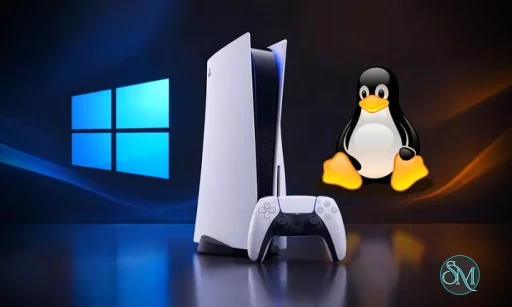
AnyPS5 is an open-source project designed to make PlayStation 5 game executables run on desktop operating systems, including Windows and Linux. Instead of relying on traditional emulation, it converts PS5 executables into native formats and provides implementations of system libraries needed to run compatible software.

Developed with game preservation, interoperability, and research in mind, AnyPS5 offers an interesting approach to bringing console games to PC. However, it remains an experimental project with limited game compatibility, so it is not yet a universal solution for playing a PS5 library on a computer.

Features

Native Executable Conversion

AnyPS5 includes a relinker that converts compatible PS5 ELF executables into native Linux ELF or Windows PE formats. This approach avoids the need for a separate emulation process, although converted games still depend on the functionality implemented by the project.

PlayStation System Library Implementations

The project provides implementations of PS5 system libraries used by games. These libraries help converted applications resolve their dependencies, but support is incomplete. Games that rely on missing or unimplemented functions may fail to launch or terminate during execution.

Vulkan Graphics Support

AnyPS5 includes a shader-recompilation system that can produce SPIR-V output. Its runtime uses Vulkan-compatible graphics hardware, making GPU and driver compatibility important considerations when running supported games.

Windows and Linux Support

Users can target Windows or Linux when converting supported executables. The relinker provides options for generating the appropriate executable format, while the required system libraries must match the target operating system.

Controller and Keyboard Support

The project supports SDL-mapped game controllers, including analog sticks and triggers. Keyboard and mouse input can also be configured through an input settings file.

Open-Source Development

Released under the GNU General Public License version 2 only, AnyPS5 allows developers to inspect its implementation, contribute improvements, and investigate compatibility problems. Its documentation also covers build instructions, usage, architecture, and known technical limitations.

Download AnyPS5 v0.1.2 - Software Mirrors

AnyPS5 v0.1.2 for Windows

relinker-v0.1.2.exe | 4.86 MB

prx-windows-v0.1.2.zip | 78.24 MB

prx-windows-v0.1.2.tar.gz | 78.24 MB

AnyPS5 v0.1.2 for Linux

relinker-v0.1.2 | 4.06 MB

prx-linux-v0.1.2.zip | 84.33 MB

prx-linux-v0.1.2.tar.gz | 84.25 MB

AnyPS5 v0.1.2 Source Code

AnyPS5 v0.1.2 Source code (zip)

AnyPS5 v0.1.2 Source code (tar.gz)

AnyPS5 v0.1.2 Release Notes:

New Contributors

  • @Digote made their first contribution in #100
  • @Qznad made their first contribution in #146
  • @STL1te made their first contribution in #153
  • @carman24r made their first contribution in #158
  • @ljkx made their first contribution in #185
  • @RomainROCH made their first contribution in #190
  • @Praetorian0420 made their first contribution in #206
  • @SP4C3B4R-8 made their first contribution in #286
  • @DotDebian made their first contribution in #355
  • @Phi1ow made their first contribution in #554
  • @ThisIsAkill made their first contribution in #482
  • @DiulioAires made their first contribution in #583
  • @Erige005 made their first contribution in #617
  • @alpinevm made their first contribution in #741
  • @Blizzeq made their first contribution in #743
  • @merwie made their first contribution in #705
  • @khasinski made their first contribution in #638
  • @011010 made their first contribution in #767
  • @ebosido444-ai made their first contribution in #811
  • @aryanrawatispro-ship-it made their first contribution in #870
  • @Fishybeing made their first contribution in #883
  • @ebarr24 made their first contribution in #982
  • @meh7an made their first contribution in #849
  • @slick-daddy made their first contribution in #327
  • @Adin-bima made their first contribution in #924
  • @ZekkJJ made their first contribution in #1209
  • @kjhq made their first contribution in #1092
  • @orbz22 made their first contribution in #1158
  • @emaurel made their first contribution in #1172
  • @polysius made their first contribution in #1214
  • @hashaam1217 made their first contribution in #1234
  • @jeffrey12cali made their first contribution in #1104
  • @SkippingCheeto made their first contribution in #1150
  • @ctz23 made their first contribution in #1103
  • @popcoder565 made their first contribution in #1254
  • @MuhammadUmair1019 made their first contribution in #1082
  • @TidalImpact made their first contribution in #917
  • @Amirtheshwaran made their first contribution in #1420
  • @MGXAe made their first contribution in #1251
  • @KSWORK2001 made their first contribution in #1275
  • @winklemad made their first contribution in #1099
  • @oguzhanozfe made their first contribution in #1163
  • @EdouardSence made their first contribution in #1176
  • @ASVLCII made their first contribution in #1194
  • @CyanBook made their first contribution in #1204
  • @awake-devel made their first contribution in #1239
  • @TheAggie made their first contribution in #1278
  • @nikhilpanchal1 made their first contribution in #1343
  • @nisbenz made their first contribution in #1383
  • @xsvm made their first contribution in #1393
  • @ToyuAU made their first contribution in #1432
  • @ewraj made their first contribution in #1444
  • @tototomate123 made their first contribution in #1436
  • @camezaro-intc made their first contribution in #1443
  • @abderahmane-ai made their first contribution in #1461
  • @arvindfroi made their first contribution in #1467
  • @mrk1987 made their first contribution in #1453
  • @drk1rd made their first contribution in #1457
  • @yabanana made their first contribution in #1603
  • @pandather made their first contribution in #1701
  • @LuisBiceps made their first contribution in #1712
  • @ska2704 made their first contribution in #1550
  • @st44rplatinum made their first contribution in #1269
  • @Deftera186 made their first contribution in #1445
  • @sarohy03 made their first contribution in #1856
  • @gerardlesan made their first contribution in #1811
  • @yeahboi233 made their first contribution in #1989
  • @Saibamen made their first contribution in #969
  • @parl0v made their first contribution in #2319
  • @Pedroj-64 made their first contribution in #1650
  • @danielradosa made their first contribution in #1748
  • @darhebkf made their first contribution in #1323
  • @kali113 made their first contribution in #1986
  • @Negesin made their first contribution in #2122
  • @Angel21PC made their first contribution in #2159
  • @snoozedDev made their first contribution in #2350
  • @Rohan03x made their first contribution in #2209
  • @Aryansh1520 made their first contribution in #2039
  • @rozbh made their first contribution in #2118
  • @rmz-24 made their first contribution in #2227
  • @hikazey made their first contribution in #1857
  • @swagdotsh made their first contribution in #2244
  • @Aerovity made their first contribution in #2360
  • @nauroth made their first contribution in #1459
  • @sktharunbalaji13-cmd made their first contribution in #1446
  • @silentone12725 made their first contribution in #1522
  • @mohdfaour03 made their first contribution in #1606
  • @ctj01 made their first contribution in #1559
  • @morten-holm made their first contribution in #1653
  • @gdrosa made their first contribution in #1804
  • @Prophet069 made their first contribution in #1840
  • @Zinebyte made their first contribution in #1935
  • @gunerky made their first contribution in #2154
  • @EshaanJaiswal made their first contribution in #2222
  • @esatturan made their first contribution in #2052
  • @TacoCat055 made their first contribution in #1945
  • @ahmedhamouda78 made their first contribution in #1629
  • @klosixgaming-arch made their first contribution in #1670
  • @Cloud-Multiplayer made their first contribution in #1686
  • @russhil made their first contribution in #1547
  • @cubersu made their first contribution in #1511
  • @andrey231 made their first contribution in #1599
  • @SirDarky made their first contribution in #1281
  • @simonbbby made their first contribution in #2330
  • @Vabian124 made their first contribution in #2294
  • @JulioCacko made their first contribution in #2313
  • @erick-dsnk made their first contribution in #2143
  • @NevesHenry made their first contribution in #1988
  • @aashishaxo made their first contribution in #1862
  • @saarthakpant made their first contribution in #1607
  • @Faffu made their first contribution in #2351
  • @HamidRezaLS made their first contribution in #2304
  • @obojeoboje made their first contribution in #2190
  • @STUPIDCONTEM made their first contribution in #2071
  • @elsi06 made their first contribution in #2605
  • @22alfbassett made their first contribution in #2554
  • @hazzardouslysolid made their first contribution in #2530
  • @husseinkad made their first contribution in #2538
  • @AymanFE made their first contribution in #1745
  • @sridhar777911 made their first contribution in #2666
  • @rohankmr414 made their first contribution in #2750
  • @Get-fix made their first contribution in #2764
  • @StarMrGamer made their first contribution in #2206
  • @PhialsBasement made their first contribution in #2744
  • @Yuva1024 made their first contribution in #2770
  • @Yousef13710 made their first contribution in #2740
  • @exefer made their first contribution in #2212
  • @SynnZer0 made their first contribution in #3297
  • @Zaid-Talib made their first contribution in #1431
  • @Edd016 made their first contribution in #2510
  • @maoxin1234 made their first contribution in #2541
  • @sypher69 made their first contribution in #3384
  • @lendinglibrary made their first contribution in #3300
  • @014-code made their first contribution in #3474
  • @Techx3 made their first contribution in #3470
  • @Silverash-i8 made their first contribution in #3518
  • @notaxeltv made their first contribution in #3500
  • @Winvoker made their first contribution in #3515
  • @blawesom made their first contribution in #3499
Full Changelog: v0.1.1...v0.1.2

Performance and Compatibility

AnyPS5 takes a different approach from conventional PS5 emulators by converting executables into native formats rather than reproducing the console through a traditional emulation layer.

The project documents at least one verified game, Dreaming Sarah, reported to run at a stable 60 frames per second on a system with a GTX 1050 Ti graphics card and an Intel Core i5-7500 processor. This demonstrates that the project can run compatible software, but it should not be interpreted as a general performance benchmark for demanding PS5 titles.

Compatibility remains the biggest limitation. A successful conversion does not guarantee that a game will start or run correctly. Missing system functions, unsupported instructions, shader behavior, and other runtime differences can prevent games from working.

Check the project's compatibility documentation before attempting to run a particular title.

System Requirements

AnyPS5 supports Windows and Linux on compatible x86-64 hardware. A Vulkan-capable graphics device is also important for running games through its graphics implementation.

Building the complete project requires development tools and dependencies, including:

  • An x86-64 computer.

  • Git for retrieving the source code and submodules.

  • CMake and Ninja.

  • A C++20-compatible toolchain.

  • GCC and G++ on Linux, with X11 and Xext development headers.

  • A supported MinGW-w64 GCC toolchain on Windows.

  • A compatible Vulkan graphics device and driver for running games.

The project does not specify a universal minimum amount of RAM, VRAM, or CPU performance for all games. Actual requirements depend on the title and its runtime behavior.

Pros and Cons

Pros

  • Converts supported PS5 executables into native Windows and Linux formats.

  • Does not rely on a traditional emulation process.

  • Open-source implementation with technical documentation.

  • Includes system library implementations and shader recompilation.

  • Supports game controllers, keyboard, and mouse.

  • Provides build instructions and compatibility information for developers and testers.

Cons

  • Game compatibility is limited and varies by title.

  • Many PS5 system functions are not fully implemented.

  • Converting an executable does not guarantee that the game will run.

  • Building the complete project requires development tools and dependencies.

  • Troubleshooting may require familiarity with executable formats, system libraries, graphics drivers, and debugging.

How to Install

1. Download AnyPS5

Visit the official GitHub repository and open its Releases section. Download the relinker and the matching system-library package for Windows or Linux, where available.

2. Prepare the Game Files

You need a compatible PS5 game executable and its associated files obtained and used legally. AnyPS5 does not distribute commercial games, firmware, cryptographic keys, or proprietary libraries.

The input must meet the relinker's requirements, including the correct executable format and any required bundled modules.

3. Convert the Executable

Run the relinker with the appropriate options for your target operating system. For example, the documented commands follow these formats:

For Linux:

relinker source/input.elf app.elf

For Windows:

relinker --windows source/input.elf app.exe

These examples assume that the relinker is available in the current command environment and that the input files are arranged correctly.

4. Set Up the Runtime Files

Place the system libraries built for your target operating system in the required libs directory. Prepare the game's resources and converted bundled modules in the expected directory structure alongside the output executable.

The exact layout depends on the source files and the game's requirements, so consult the official usage documentation before running the converted application.

5. Launch and Test

Run the converted executable on the target operating system. If it fails, check the console output and compatibility documentation for missing imports, unsupported functions, or other runtime issues.

For developers who prefer compiling from source, the repository provides CMake-based build instructions.

Final Verdict

AnyPS5 is a promising open-source project that explores an alternative to traditional console emulation. Its native executable conversion, system library implementations, and support for Windows and Linux make it particularly interesting for game preservation enthusiasts and developers studying executable compatibility.

Its main drawback is its experimental state. The ability to convert an executable should not be confused with complete game compatibility, and users may encounter missing functions, runtime errors, and complicated setup requirements.

AnyPS5 is worth exploring for technically minded users interested in PS5 game porting, but it is not yet a dependable way to play an entire PlayStation 5 collection on a PC.
AnyPS5 v0.1.2
Free
Software Informations:
Developer:

Operating System:
Windows / Linux
Date Added:
2026-10-14T13:03:56.847Z
Categories:

Post a Comment/Report Broken Link: