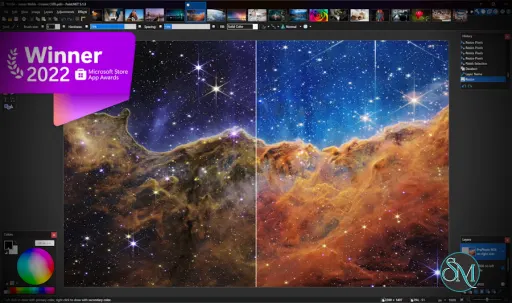
Paint.NET is an image editor halfway between lifelong MS Paint and very powerful Photoshop from Adobe. Like the latter, Paint.NET has floating panels, layers, filters and image adjustments.
At the same time, Paint.NET preserves the lightness you expect from an accessory often used. The use of the libraries. NET gives the program a speed and unparalleled stability. Needless to say, the operation under Windows Vista and 7 is perfect.
In his attempt to serve as a semi-official alternative to Paint, Paint.NET wins by a wide margin of advantage. Is missing a greater number of filters retouching, omission remedied for more plugins on the official website.4
Paint.NET is as simple as MS Paint, the drawing tool included in Windows falls short of editing software like Photoshop.
Download Paint.NET 5.2 Offline Installer |
|---|
Download Paint.NET 5.2 Online Installer Download Paint.NET 5.2 Offline Installer for Windows ARM 64bit Download Paint.NET 5.2 Offline Installer for Windows 64bit Download Paint.NET 5.2 Portable for Windows ARM 64bit Download Paint.NET 5.2 Portable for Windows 64bit Download Paint.NET Paint.NET 5.2 Offline Installer MSI for Windows ARM 64bit Download Paint.NET Paint.NET 5.2 Offline Installer MSI for Windows 64bit |
Paint.NET 5.2 Offline Installer Release Notes:These are the offline installers, portable ZIPs, and deployment MSIs for Paint.NET. The web installer is also provided, which will download and run the correct installer for any supported CPU and OS. Release notes: https://forums.paint.net/topic/134628-paintnet-52-is-now-available System Requirements
|
System Requirements
Windows 11
or Windows 10 (version 21H2 or newer)
or Windows Server 202264-bit CPU (Intel/AMD x64 with AVX2, or ARM64) with at least 4 cores
GPU with support for Direct3D 11
Optional: A display that supports High Dynamic Range (HDR) or Wide Color Gamut (WCG)
Optional: A pen or drawing tablet that supports Windows Ink
.NET runs on Microsoft .NET 9, which is included as part of the app. It does not need to be installed separately.
Paint.NET uses your hard drive to store temporary files related to undo/redo history. Because of this, actual disk space requirements will depend on the actions you perform on an image, and on the size of the image.
Developer:
dotPDN LLC.
Operating System:
Windows
Date Added:
2026-11-11T08:23:53.499Z
Categories:
Post a Comment/Report Broken Link: