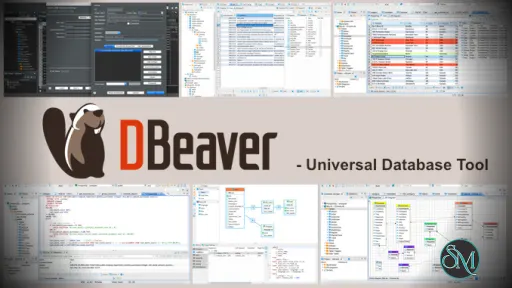
DBeaver Community Edition is a universal database client that allows users to connect to multiple database types from a single application. It provides tools for writing SQL queries, browsing database objects, and exporting data.
DBeaver CE is ideal for users who need a flexible and cross platform database management solution without licensing costs.
Download DBeaver 26.2.4 Community Edition - Software Mirrors |
|---|
DBeaver 26.2.4 Community Edition for WindowsDownload DBeaver 26.2.4 Community Edition Download DBeaver 26.2.4 Community Edition ~ Github Download DBeaver 26.2.4 Community Edition Download DBeaver 26.2.4 Community Edition ~ Github Download DBeaver 26.2.4 Community Edition Download DBeaver 26.2.4 Community Edition ~ Github Download DBeaver 26.2.4 Community Edition Download DBeaver 26.2.4 Community Edition ~ Github |
DBeaver 26.2.4 Community Edition for macOSDownload DBeaver 26.2.4 Community Edition Download DBeaver 26.2.4 Community Edition ~ Github Download DBeaver 26.2.4 Community Edition Download DBeaver 26.2.4 Community Edition ~ Github |
DBeaver 26.2.4 Community Edition for LinuxDownload DBeaver 26.2.4 Community Edition Download DBeaver 26.2.4 Community Edition ~ Github Download DBeaver 26.2.4 Community Edition Download DBeaver 26.2.4 Community Edition ~ Github Download DBeaver 26.2.4 Community Edition Download DBeaver 26.2.4 Community Edition ~ Github Download DBeaver 26.2.4 Community Edition Download DBeaver 26.2.4 Community Edition ~ Github Download DBeaver 26.2.4 Community Edition Download DBeaver 26.2.4 Community Edition ~ Github Download DBeaver 26.2.4 Community Edition Download DBeaver 26.2.4 Community Edition ~ Github |
DBeaver 26.2.4 Community Edition Source Code |
DBeaver 26.2.4 Community Edition Release Notes:
- AI Assistant:
    - Added support for configuring AI providers, including OpenAI and GitHub Copilot, through environment variables
    - Fixed AI scope selection for nested tables, views, and other object folders
    - Improved AI Chat image previews with aspect-ratio thumbnails, popup viewing, zoom, and scrolling
- SQL Editor:
    - Added cross-statement SQL variable tracking for autocomplete, highlighting, hover information, and the SQL outline
    - Added Ask, Always, and Never options for reloading metadata after DDL execution
    - Added "Select All" to text editor context menus and the Edit menu (thanks to @kbrianps)
    - Fixed SQL script tasks failing when writing stored procedure OUT parameter values to the log (thanks to @fizzbeom)
    - The "New" and "Import" buttons in SQL template preferences are now available without selecting an existing template (thanks to @augustocbx)
- Metadata Editor:
    - Connection type color changes now refresh throughout open table Properties editors (thanks to @EastLord)
- Data Editor:
    - Fixed nested arrays expanding beyond their actual depth
    - Fixed Value panel format changes not being applied immediately
    - Small arrays are now shown in full when they fit within a Data Grid cell
- Diagram:
    - ER diagram palettes and object colors now update immediately after switching themes
    - Fixed an error when activating an ER diagram with the Content Outline open (thanks to @zsewasdsdsd)
- Data transfer:
    - Added configurable XLSX sheet name patterns with `${n}` and `${table}` variables
    - Canceled data exports now show a cancellation notification instead of a completion message
- Connectivity:
    - Added support for more than 200 CData drivers. Users can now start a trial or purchase a license for personal use directly from the connection page
    - Fixed the "Close idle connections after" setting being lost after saving or restarting DBeaver (thanks to @zsewasdsdsd)
    - Network profile changes are now saved only after Apply or OK; Cancel discards them
- Navigator:
    - Delete actions now identify the selected object type, such as "Delete Connection" or "Delete Table"
    - Fixed duplicated icons and other artifacts during horizontal scrolling in the Navigator on macOS
- Security:
    - Updated the bundled Java runtime to protect TLS connections from certificates affected by the eMudhra CA key compromise
- Product configuration:
    - Disabling AI integration now hides AI Chat and prevents saved chat views from reopening as errors
    - Product Configuration now shows and highlights only newly available features when opened after an update
- Miscellaneous:
    - Fixed automatic updates for ZIP-based DBeaver installations on Windows
    - Fixed Git extension installation and missing Git features in Community Edition
    - Improved application startup performance
- New drivers:
    - Added the Mimer SQL driver with native support for database objects, privileges, and spatial data (thanks to @fredrikalund)
- Databases:
    - Apache Hive: Fixed driver library downloads for versions 4.0.0-alpha-1 and 4.0.0-alpha-2
    - Firebird: Improved table loading and database-to-database export mapping performance by eliminating long domain metadata delays
    - GBase 8s: Fixed database object loading when `SQLMODE=mysql` is enabled (thanks to @zerlinpi)
    - MS Access: Updated the UCanAccess driver definition to use the actively maintained Maven Central artifact (thanks to @spannm)
    - Oracle:
        - Added a separate "Body Last DDL Time" property for packages (thanks to @akmalsyrf)
        - Fixed an error when selecting a table from SQL autocomplete
        - Fixed missing constraint columns when "Always use DBA views" is enabled (thanks to @tessarotto21)
        - Fixed `tnsnames.ora` files remaining locked after DBeaver reads TNS aliases (thanks to @fizzbeom)
        - Removed nested Users folders from Profiles in Navigator while keeping users available in the profile editor
    - PostgreSQL:
        - Anonymous record values are now displayed as expandable composite values
        - Fixed conversion errors when displaying composite values from temporary views after metadata refresh
        - Fixed invalid `USING` clauses in generated column type changes for foreign tables (thanks to @NikRom5531)
        - Fixed zero connection limits appearing as unlimited in role source (thanks to @Suvrat1629)
        - Foreign-key navigation filters are now shown in the filter panel and can be removed when source and target column names differ
        - Generated aggregate DDL now preserves combine functions and parallel-safety settings (thanks to @zsewasdsdsd)
        - Replaced cryptic dependency type codes with readable object types (thanks to @NikRom5531)
    - Redshift: Added Lock Manager support
    - SQL Server:
        - Database descriptions can now be read, saved, updated, and cleared (thanks to @michalpsyk)
        - Fixed index DDL using an incorrect schema and missing identifier quoting
        - Fixed object comments not being removed when cleared in the object editor (thanks to @michalpsyk)
        - Index key columns are now displayed before INCLUDE columns (thanks to @zsewasdsdsd)
    - SQLite: Fixed metadata loading when a temporary table is named `pragma_table_list` (thanks to @zsewasdsdsd)
    - YashanDB:
        - Added a logo to the connection dialog
        - Fixed changing user passwords from the UI
- Localization:
    - Fixed Preferences search results for the language setting
|
Key Features of DBeaver CE
DBeaver CE focuses on usability and broad compatibility.
Main features include:
Support for popular databases such as MySQL, PostgreSQL, SQLite, MariaDB, Oracle, and SQL Server
SQL editor with syntax highlighting and auto completion
Database object browser and data viewer
ER diagrams and schema visualization
Data import and export tools
Transaction management and query history
Plugin based architecture
These features make it suitable for both development and analysis tasks.
Supported Databases and Platforms
DBeaver Community Edition runs on:
Windows
macOS
Linux
It supports JDBC based databases, allowing connection to many relational database systems using drivers.
Some advanced database features are available only in the Enterprise edition, but the Community Edition covers most everyday needs.
Performance and Stability
DBeaver CE performs well with small to medium sized databases. Query execution is reliable, and the data viewer handles large tables with pagination and filtering.
Because it is Java based, startup time and memory usage can be higher compared to lightweight native tools, but overall stability is strong.
Ease of Use
The interface is intuitive for users familiar with database tools. Beginners may need some time to explore the available features, but the layout is logical and well organized.
Saved connections and query history help improve workflow efficiency.
Is DBeaver CE Safe to Use
Yes, DBeaver Community Edition is safe when downloaded from the official website or trusted repositories. It is open source, contains no ads, and does not include tracking or bundled software.
Users maintain full control over their database connections and credentials.
Pros and Cons of DBeaver CE
Pros:
Free and open source
Wide database compatibility
Cross platform support
Powerful SQL editor
Active community and regular updates
Cons:
Higher memory usage due to Java
Some advanced features require paid edition
Interface may feel heavy on older systems
Despite these limitations, DBeaver CE remains a top choice.
Common Use Cases
DBeaver Community Edition is commonly used for:
SQL development and testing
Database administration tasks
Data analysis and exploration
Managing multiple database systems
Exporting and reporting data
Its flexibility makes it popular across industries.
Final Verdict
DBeaver Community Edition is one of the best free database management tools available today. It offers strong features, wide compatibility, and a reliable user experience without licensing costs.
DBeaver Community Edition is a powerful and free database management tool used by developers, database administrators, and data analysts around the world. It supports a wide range of database systems and provides a clean interface for managing, querying, and analyzing data.
Post a Comment/Report Broken Link: