PentAGI 2.2.0 Release Notes:
PentAGI 2.2 — Any Modern LLM, a Contained Sandbox, Unified Web Search, and Multi-Instance Deployment
This release supports the current generation of LLMs with a tested configuration for every provider, closes CVE-2026-14784 with rebuilt sandbox isolation, replaces seven search tools with one intent-driven web_search, and lets several installations share one set of backing services.
 ⠀ 
To get an Enterprise Edition license, sign up at console.pentagi.com — new users get one free license there.
Major Features
Any Modern LLM, With a Tested Configuration
LangChainGo moves from v0.1.14-update.5 to update.8, and PentAGI supports the current model generations without workarounds.
- Reasoning the way each vendor expects it — adaptive thinking, effort levels, thinking budgets, and a real "off" are sent in each model family's native form. Combinations a vendor would reject are caught or redirected before the request instead of coming back as a 400, signed reasoning replays intact across agent turns, and Settings offers only the controls the selected model honors.
- Three new providers — MiniMax, Mistral, and xAI, for 13 provider types in total. Any other OpenAI-compatible endpoint works through the custom provider, which now also calls Azure OpenAI deployments (
LLM_SERVER_API_TYPE=azure).
- Tested, not just listed — every built-in provider, plus example configurations for OpenRouter, DeepInfra, Ollama Cloud, self-hosted vLLM, and others, ships with a
ctester report in examples/tests/ giving the success rate per agent role.
- Current catalogues — GPT-6, Claude Opus 5.x and Fable 5.x, Gemini 3.x, Qwen 3.8, GLM 5.3, DeepSeek V4, and Grok 4.7, with prices checked against vendor pages. Agent chains are compacted to the model's known context window before each call.
- Provider failover —
LLM_FALLBACK_PROVIDER repeats a failed model call on a second configured provider and records the switch in the trace.
- Anthropic without a long-lived key — Workload Identity Federation exchanges a Kubernetes, GitHub Actions, or other OIDC token for a short-lived Claude token.
Sandbox Security and CVE-2026-14784
CVE-2026-14784 affects PentAGI up to 2.1.0: with DOCKER_INSIDE=true, as the shipped .env.example set it, the host Docker socket was mounted into every sandbox, so an agent steered by prompt injection could take over the host. Prompt injection cannot be closed completely — resistance depends largely on the model's instruction following and generalization — so this release concentrates on containing whatever runs in the sandbox.
- Least privilege — worker containers drop every capability and add back an explicit allow-list:
MKNOD is withheld (the main known escape path), SYS_PTRACE is added for debuggers, and a process limit guards against fork bombs.
- No host socket —
DOCKER_INSIDE defaults to false, and nested Docker now requires DOCKER_INSIDE_HOST, a daemon separate from the one running PentAGI. The host socket is no longer mounted automatically.
- Startup attestation — with
DOCKER_INSIDE_POLICY_TESTS=true, PentAGI launches a worker exactly as a flow would and verifies from inside it that the daemon is not its own, 27 host-escape requests are refused, and 7 legitimate operations work. If a check fails, agents get no Docker access and PentAGI keeps running.
- Hardened worker node — the worker node guide ships a Docker-in-Docker kit: a fail-closed OPA policy, a seccomp profile, a cleanup timer, and policy tests.
With these layers, we assess that an automated payload landing a shell in the worker container stays confined to it in the vast majority of cases. The remaining control is yours: stopping a flow ends the commands it started in the sandbox and finishing it removes the sandbox — finish flows you no longer need.
Unified web_search Tool
Agents send a query with an intent — links, answer, research, or exploit — and a per-intent fallback chain picks the engine. A failing engine falls through to the next instead of handing the model an error it mistakes for an answer. Firecrawl is a new engine, an opt-in internal engine answers analytic queries without a paid API, and Google Custom Search, which had been sending unauthenticated requests, works again.
Multi-Instance Deployment
TENANT_ID lets several installations share one PostgreSQL, worker node, Neo4j/Graphiti, and Langfuse by namespacing schemas, containers, graph ids, auth keys, cookies, and telemetry. An empty value changes nothing.
Flows and the Assistant
- Create returns at once while the sandbox is prepared in the background; a failed preparation marks the flow
failed with the reason.
- Stop ends the sandbox commands the flow started; finish closes its assistants and removes its containers. A sandbox removed outside PentAGI is rebuilt.
- Assistant replies survive a failed write and a reconnect, and a reply cut off by a server restart is marked as incomplete.
edit_file — agents patch files with a unified diff instead of rewriting them whole.
Markdown Editor for Prompts and Templates
Agent prompts and flow templates, plain text boxes until now, get the Markdown editor knowledge documents use, rebuilt on TipTap's official Markdown engine. It adds tables, code and template highlighting, and a Rich/Raw toggle. Go template pipelines inside table cells survive the round trip, so an edited prompt still passes validation.
New Capabilities
- Update notifications — the sidebar shows the version you are running and tells you when a new one is released.
- Knowledge graph — Graphiti (beta, off by default) can use OpenAI, Gemini, LiteLLM, or a custom backend, and the installer sets up the bundled Neo4j with the APOC plugin it needs.
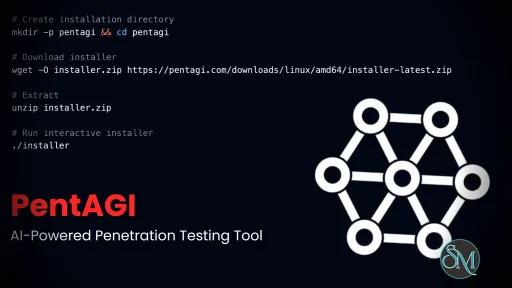
- Installer — now available for macOS, as a signed executable, and for Windows, in addition to Linux. It covers the new providers, failover, Azure, federation, tenancy, and sandbox settings, and checks the Graphiti, Langfuse, and observability stacks.
- Kali image —
vxcontrol/kali-linux is rebuilt with new tools, and its mcp tag adds an MCP gateway with a useful set of servers.
- Configuration —
BEDROCK_CONFIG_PATH, DOCKER_PORTS_BASE, image variables for mirrors and air-gapped installs, and an account page where local users change their email and password.
Bug Fixes & Reliability
- Errors are not shown as empty data — a backend that is down no longer looks like an empty account, the UI says when live updates stop, and it recovers from stale chunks after a redeploy.
- No misplaced edits — switching between templates or prompts no longer saves text to the wrong record.
- No hangs — fixed a file manager deadlock, a freeze when finishing a flow, and startup blocking on an unreachable telemetry collector; database statements and REST requests now have deadlines.
- Quality gates — a three-tier Playwright end-to-end suite: the mocked-API tier runs on every pull request, the local stack with a mock LLM nightly, and the live stand on request.
Security
- Sessions — logout, a password change, and an administrator reset sign out every other browser session; logout is now
POST /api/v1/auth/logout. Login attempts are throttled per account and client address, and an unknown account and a wrong password get the same answer in the same time.
- Access — API tokens can no longer manage users or tokens over REST, GraphQL no longer passes PostgreSQL error details to clients, and OAuth sign-in reaches an existing account, local ones included, with the same provider-verified email and that account's role.
- Passwords follow one policy in the API, user creation, and the installer, capped at the 72 bytes bcrypt can hash.
- Dependencies — Go 1.26.5, Alpine 3.23.5, and LangChainGo fixes for 10 dependency CVEs and a pgvector metadata-filter SQL injection.
Upgrade Notes
- Everyone signs in again — session cookies from before this release are refused. Scripts must log out with
POST /api/v1/auth/logout: a GET is redirected to / and leaves the session alive.
- Nested Docker — with
DOCKER_INSIDE=true and no DOCKER_INSIDE_HOST, agents lose Docker access and the log says why. Point DOCKER_INSIDE_HOST at a separate daemon as the worker node guide describes.
- Leave
TENANT_ID empty — setting it points the instance at a new, empty schema.
- Custom prompts using the old per-engine variables (
{{.GoogleToolName}} and others) must switch to {{.WebSearchToolName}}: until then the override is ignored, with a warning in the log, and the default prompt is used.
- OAuth — audit local account emails, administrators first: a Google or GitHub identity with a matching verified email signs into that account with its role.
- Models — defaults moved to newer generations; check Settings → Providers if your key lacks access. OpenAI retires
o1, o3-mini, o4-mini, and gpt-4.1-nano on 23 October 2026, and o3 and gpt-5/-mini/-nano on 11 December 2026.
- Langfuse MinIO — MinIO no longer publishes images, so the bundled stack uses
cgr.dev/chainguard/minio:latest, run as root to keep existing data readable. If your .env sets MINIO_IMAGE=minio/minio:…, change it.
- Reverse proxies — set
TRUSTED_PROXIES, or every user shares the proxy's address and one burst of failed logins locks everyone out for 15 minutes.
- Getting the update — with a manual installation, download the updated
.env.example and docker-compose*.yml yourself (Manual Installation); with the installer, download its new version first (Using Installer).
- Eight database migrations apply automatically at startup. Update and restart:
docker compose pull && docker compose up -d.
Contributors
Core Team
- @asdek (Dmitry Nagibin) — Sandbox isolation and attestation, worker node kit, multi-instance deployment,
web_search, tested provider configurations, version checks, installer, LangChainGo upgrade
- @sirozha (Sergey Kozyrenko) — Mistral and xAI, failover, Anthropic federation, Azure, catalogues and reasoning controls, flow and assistant lifecycle, session security, editor rebuild, end-to-end suite, frontend reliability
External Contributors
- @mason5052 — Deployment and troubleshooting guides, five design RFCs, streaming ZIP downloads (PR#339), XSStrike guardrail (PR#343)
- @manus-pi — Sandbox capability drop, process limit, safe
DOCKER_INSIDE default (PR#355)
- @rakshith48 — Firecrawl (PR#373); @salecharohit —
BEDROCK_CONFIG_PATH (PR#233); @octo-patch — MiniMax (PR#328); @Akalanka1337 — account email and password (PR#340)
Thanks to the reporter of issue #337.
Full Changelog: v2.1.0...v2.2.0 |
Post a Comment/Report Broken Link: