InstallerClean is a small Windows tool that helps detect and remove leftover files, folders, and registry entries created by installed software. It is built for users who want to keep their system clean without manually digging through directories.
InstallerClean is a focused utility designed to clean up files and traces that remain after uninstalling programs. While many uninstallers remove the main application, leftover data often stays behind. InstallerClean aims to fix that with a simple and lightweight approach.
The application is typically portable, meaning it can run without installation and does not add extra load to your system.
Download InstallerClean v3.1.0 - Software Mirrors |
|---|
InstallerClean v3.1.0 for Windowsinstallerclean-cli.exe | 36.95 MB |
InstallerClean v3.1.0 Source Code |
InstallerClean v3.1.0 Release Notes:InstallerClean 3.1.0InstallerClean offers more of the files it can be certain about, handles a drive or share that doesn't answer, and asks once for an anonymous report.More files offered, and more checks before one isSome situations made InstallerClean hold back a whole group of files without looking at any of them. It now looks at each file in those cases and offers the ones it can be certain about:
A drive or share that doesn't answerSome files can only be settled by looking at the folder a program was installed from, and that can be on another drive or a network share. If it doesn't answer, after a second the scan shows "Waiting for\\server\share to respond..." with a "Carry on without it" button. Each read there waits at most thirty seconds, and a drive or share that doesn't answer is given up for the rest of the scan. Any file still to be checked against it is left alone, and the main window says which drive or share InstallerClean carried on without, so you can Re-scan once it's back.
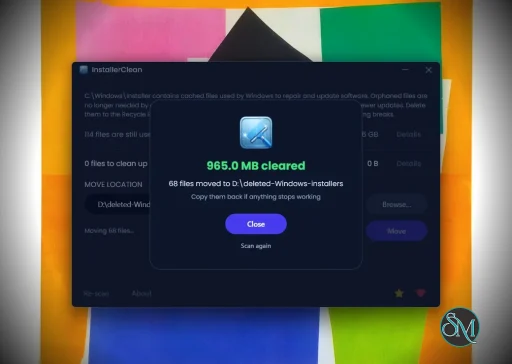
The anonymous report and donatingThe first time InstallerClean finishes on a PC, the result screen has a "Send anonymous report" box. The report goes when you close that screen unless you untick the box, and there's only ever one report per PC. The box starts unticked where Windows is set to a country in the European Union, Iceland, Liechtenstein or Norway, or where InstallerClean can't read that setting. The small "i" beside it says what the report holds, and "See exactly what's sent" shows you the report itself. The privacy policy covers all of it. After a Move or Delete that moved or deleted files, the result screen has a "Donate $5" button with "Close without donating" under it, and every other result screen has a small Donate under Done. The command line asks the same in one line at the end of a Move or Delete that moved or deleted files, only when you're running it yourself in a console.Large text, fonts and screen readers
Also changed
Fixed
Downloads
Build it yourselfBuilt with .NET SDK 10.0.112 from the v3.1.0 tag. The portable and the command-line tool are single-file builds published with compression on. Release builds are deterministic, so building that tag yourself, on that SDK and with those flags, gives you the same bytes and the same hashes for the portable and the command-line tool; the README's Checking the download itself section has the detail. The installer is a different case: Inno Setup packs it and stamps the build year into it, so don't expect its hash to match.VirusTotal
DonateAny small donation is much appreciated. |
Key Features of InstallerClean
Leftover File Detection
InstallerClean scans your system for files and folders that remain after uninstalling applications. This helps free up disk space and reduce clutter.Registry Cleanup
It can identify unused or orphaned registry entries related to removed programs, helping maintain system organization.Simple Interface
The tool is designed to be straightforward. Users can scan and clean with minimal steps, making it accessible even for non technical users.Portable Usage
InstallerClean often runs as a portable application, so you can use it on multiple systems without installation.Fast Scanning
The scanning process is quick and does not heavily impact system performance.
User Experience
InstallerClean is easy to use, with a minimal interface that focuses on functionality. It does not overwhelm users with advanced settings, which makes it suitable for quick maintenance tasks.
However, advanced users may find it lacks deeper customization compared to more comprehensive system cleanup tools.
Performance and Compatibility
The software performs efficiently and works on most Windows systems. It is lightweight and does not consume significant resources during scanning or cleaning.
Because it targets leftover files specifically, it complements rather than replaces full system maintenance tools.
Pros
Lightweight and fast
Simple and easy to use
Helps remove leftover files and registry entries
Portable and convenient
Cons
Limited advanced features
Not as comprehensive as full system cleaners
Requires careful review before deleting files
InstallerClean is ideal for users who frequently install and uninstall software and want to keep their system tidy. It is also useful for those who prefer simple tools over complex system utilities.
InstallerClean delivers a focused solution for removing leftover files after uninstallations. While it is not a full system optimizer, its simplicity and efficiency make it a valuable addition to basic PC maintenance tools.
Post a Comment/Report Broken Link: