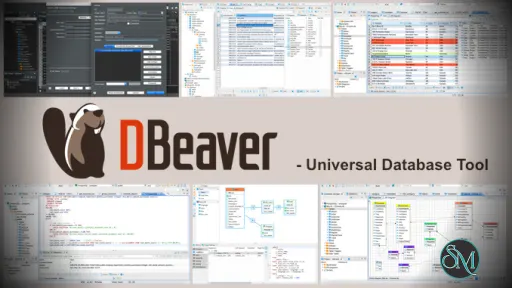
DBeaver Community Edition is a universal database client that allows users to connect to multiple database types from a single application. It provides tools for writing SQL queries, browsing database objects, and exporting data.
DBeaver CE is ideal for users who need a flexible and cross platform database management solution without licensing costs.
Download DBeaver 26.2.2 Community Edition - Software Mirrors |
|---|
DBeaver 26.2.2 Community Edition for WindowsDownload DBeaver 26.2.2 Community Edition Download DBeaver 26.2.2 Community Edition ~ Github Download DBeaver 26.2.2 Community Edition Download DBeaver 26.2.2 Community Edition ~ Github Download DBeaver 26.2.2 Community Edition Download DBeaver 26.2.2 Community Edition ~ Github Download DBeaver 26.2.2 Community Edition Download DBeaver 26.2.2 Community Edition ~ Github |
DBeaver 26.2.2 Community Edition for macOSDownload DBeaver 26.2.2 Community Edition Download DBeaver 26.2.2 Community Edition ~ Github Download DBeaver 26.2.2 Community Edition Download DBeaver 26.2.2 Community Edition ~ Github |
DBeaver 26.2.2 Community Edition for LinuxDownload DBeaver 26.2.2 Community Edition Download DBeaver 26.2.2 Community Edition ~ Github Download DBeaver 26.2.2 Community Edition Download DBeaver 26.2.2 Community Edition ~ Github Download DBeaver 26.2.2 Community Edition Download DBeaver 26.2.2 Community Edition ~ Github Download DBeaver 26.2.2 Community Edition Download DBeaver 26.2.2 Community Edition ~ Github Download DBeaver 26.2.2 Community Edition Download DBeaver 26.2.2 Community Edition ~ Github Download DBeaver 26.2.2 Community Edition Download DBeaver 26.2.2 Community Edition ~ Github |
DBeaver 26.2.2 Community Edition Source Code |
DBeaver 26.2.2 Community Edition Release Notes:
- AI Assistant:
    - Redesigned the AI engine selector with a native drop-down, engine icons, and improved keyboard accessibility
    - Fixed model discovery for self-hosted OpenAI-compatible endpoints with non-OpenAI model names
    - Improved error messages for HTTP redirects from custom OpenAI-compatible endpoints by showing the redirect target and configuration guidance
    - Fixed model listing and chat requests for self-hosted OpenAI-compatible endpoints when the base URL has no trailing slash (thanks to @Ashfaqbs)
    - Improved guidance and validation when the custom AI scope contains no database objects
    - Fixed an issue on macOS where opening the AI profile or model picker could immediately select an item
- SQL Editor:
    - Added a setting to choose whether Enter, Tab, both, or neither accepts autocomplete suggestions
    - Added a preference to disable the large-script result-fetch warning (thanks to @akmalsyrf)
    - Fixed SQL Editor toolbar background colors for color-coded connections in the dark theme
- Metadata Editor:
    - Fixed invalid table DDL generation when column comments contain double hyphens (thanks to @MicBun)
- Data Editor:
    - Made the issue-reporting link clickable when the calendar editor encounters an unsupported date/time value
    - Fixed spacing and background inconsistencies in the virtual structure editor
- Connectivity:
    - The connection wizard now prompts users to choose a connector when the selected database has multiple options
    - Improved navigation between project and global network profile settings
    - Improved the confirmation dialog for removing a network handler
- Navigator:
    - Restored context menus for breadcrumbs in object editors and the status bar
    - Fixed a startup freeze when Database Navigator was in a detached window
- Miscellaneous:
    - Fixed a Linux startup crash when the Product Configuration wizard opened
    - Redesigned and reorganized the General preferences page
    - Improved Preferences search by adding keywords to preference pages
    - Fixed inaccurate progress reporting during native tool file transformations (thanks to @cuishuang)
    - Fixed overly bright hover highlighting for view minimize and maximize buttons on Windows in the dark theme
    - Improved editor tab visibility by adding separators between unselected tabs
    - Fixed excessive accumulation of temporary files and improved cleanup of abandoned files
    - Fixed diagnostic archive collection to include all rotated log files
    - Fixed version-update controls to prevent duplicate downloads and keep the update button correctly positioned
    - Improved drop-down list sizing, scrolling, and theme colors
    - Improved UI color updates after changing the application theme without restarting DBeaver
    - Improved the contrast of inactive editor tabs for color-coded connections in the dark theme
    - Added theme selection with live preview to the User Interface preferences
- Databases:
    - Apache Doris: Fixed CSV import into schemas and post-import table refresh
    - GBase 8s:
        - Fixed JSON value handling in the "Copy As SQL" command (thanks to @Downstream1998)
        - Fixed the Columns tab failing to load when the read_defaultstr routine is unavailable (thanks to @sakshichitnis27)
    - PostgreSQL: Added support for viewing and managing the PUBLIC pseudo-role in Permissions tabs (thanks to @NikRom5531)
    - TiDB Cloud Lake: Added the TiDB logo to the connection page (thanks to @akshar27)
    - Timeplus: Fixed incorrect numeric values and intermittent hangs during CSV import (thanks to @EastLord)
|
Key Features of DBeaver CE
DBeaver CE focuses on usability and broad compatibility.
Main features include:
Support for popular databases such as MySQL, PostgreSQL, SQLite, MariaDB, Oracle, and SQL Server
SQL editor with syntax highlighting and auto completion
Database object browser and data viewer
ER diagrams and schema visualization
Data import and export tools
Transaction management and query history
Plugin based architecture
These features make it suitable for both development and analysis tasks.
Supported Databases and Platforms
DBeaver Community Edition runs on:
Windows
macOS
Linux
It supports JDBC based databases, allowing connection to many relational database systems using drivers.
Some advanced database features are available only in the Enterprise edition, but the Community Edition covers most everyday needs.
Performance and Stability
DBeaver CE performs well with small to medium sized databases. Query execution is reliable, and the data viewer handles large tables with pagination and filtering.
Because it is Java based, startup time and memory usage can be higher compared to lightweight native tools, but overall stability is strong.
Ease of Use
The interface is intuitive for users familiar with database tools. Beginners may need some time to explore the available features, but the layout is logical and well organized.
Saved connections and query history help improve workflow efficiency.
Is DBeaver CE Safe to Use
Yes, DBeaver Community Edition is safe when downloaded from the official website or trusted repositories. It is open source, contains no ads, and does not include tracking or bundled software.
Users maintain full control over their database connections and credentials.
Pros and Cons of DBeaver CE
Pros:
Free and open source
Wide database compatibility
Cross platform support
Powerful SQL editor
Active community and regular updates
Cons:
Higher memory usage due to Java
Some advanced features require paid edition
Interface may feel heavy on older systems
Despite these limitations, DBeaver CE remains a top choice.
Common Use Cases
DBeaver Community Edition is commonly used for:
SQL development and testing
Database administration tasks
Data analysis and exploration
Managing multiple database systems
Exporting and reporting data
Its flexibility makes it popular across industries.
Final Verdict
DBeaver Community Edition is one of the best free database management tools available today. It offers strong features, wide compatibility, and a reliable user experience without licensing costs.
DBeaver Community Edition is a powerful and free database management tool used by developers, database administrators, and data analysts around the world. It supports a wide range of database systems and provides a clean interface for managing, querying, and analyzing data.
Post a Comment/Report Broken Link: